---
title: "Contributing"
description: "How to contribute to the Lacuna documentation: create an issue to report errors or gaps, and follow the guidelines for new articles. No pull requests yet."
canonical: "https://docs.lacunasoftware.com/en-us/articles/welcome/contributing"
locale: "en"
product: "Welcome"
last_updated: "2026-07-17"
---
# Contributing
We are not taking public contributions at the moment, but will soon begin accepting pull requests. For now,
if you encounter an error or spot something that is missing on this documentation portal, please
[create an issue](https://github.com/LacunaSoftware/docs/issues)
## Creating a new article
Follow these guidelines to create a new article:
1. Create the article **on both en-us and pt-br projects** with encoding UTF-8 BOM
1. Alter the `toc.md` **from both projects** including the article
> **Tip**
>
> An easy way to ensure that the new article has UTF-8 BOM encoding is to copy an existing article instead of creating a new file.
You don't need to write both versions of the article right away, you can write one of the versions and put this on the other one:
```md
# Article title
{/* link to version in Portuguese */}
```
or
```md
# Título do Artigo
{/* link to version in English */}
```
## Authoring documentation
Here are the most important links about how to author documentation:
* [Mastering Markdown - GitHub Guides](https://guides.github.com/features/mastering-markdown/)
* [DocFX Flavored Markdown - DocFX website](https://dotnet.github.io/docfx/spec/docfx_flavored_markdown.html)
* [Links and Cross References - DocFX website](https://dotnet.github.io/docfx/tutorial/links_and_cross_references.html)
* [Overwrite Files - DocFX website](https://dotnet.github.io/docfx/tutorial/intro_overwrite_files.html)
## Markdown cheatsheet
Here are sintaxes for the most common elements:
* [Headers](https://docs.lacunasoftware.com/en-us/articles/welcome/contributing#headers)
* [Bold](https://docs.lacunasoftware.com/en-us/articles/welcome/contributing#bold)
* [Italic](https://docs.lacunasoftware.com/en-us/articles/welcome/contributing#italic)
* [Inline code](https://docs.lacunasoftware.com/en-us/articles/welcome/contributing#inline-code)
* [Lists](https://docs.lacunasoftware.com/en-us/articles/welcome/contributing#lists)
* [Horizontal rulers](https://docs.lacunasoftware.com/en-us/articles/welcome/contributing#hr)
* [Links](https://docs.lacunasoftware.com/en-us/articles/welcome/contributing#links)
* [Code snippets](https://docs.lacunasoftware.com/en-us/articles/welcome/contributing#code-snippets)
* [Includes](https://docs.lacunasoftware.com/en-us/articles/welcome/contributing#includes)
* [Include code snippets](https://docs.lacunasoftware.com/en-us/articles/welcome/contributing#include-code-snippets)
* [Images](https://docs.lacunasoftware.com/en-us/articles/welcome/contributing#images)
* [Blockquotes, notes and warnings](https://docs.lacunasoftware.com/en-us/articles/welcome/contributing#blockquotes-notes-and-warnings)
* [Tables](https://docs.lacunasoftware.com/en-us/articles/welcome/contributing#tables)
### Headers
Top level (H1) header:
```md
# Article title
```
Level 2 (H2) header:
```md
## Section title
```
Level 3 (H3) header:
```md
### Subsection title
```
### Bold
```md
This is a **bold** statement
```
This is a **bold** statement
### Italic
```md
This is a *foreign word*.
```
This is a *foreign word*.
### Inline code
```md
Pass the `callback` parameter
```
Pass the `callback` parameter
### Lists
Unordered:
```md
* Item A
* Item B
* Subitem (prefix spaces to align with parent)
* And so on
* Item C
```
* Item A
* Item B
* Subitem (prefix spaces to align with parent)
* And so on
* Item C
Ordered:
```md
1. Item 1
1. Item 2
1. Subitem (prefix spaces to align with parent)
1. And so on
1. Item 3
```
1. Item 1
1. Item 2
1. Subitem (prefix spaces to align with parent)
1. And so on
1. Item 3
> The actual numbering does not matter, DocFX will order the list when rendering the file. Prefer repeating `1.` on every item instead of writing `1.`, `2.`, `3.` etc because this allows for easy reodering of items.
### Horizontal rulers
Use `***` to insert a horizontal ruler:
```md
Something
***
Some other thing
```
> **Note**
>
> **Do not** use the syntax `---`, as it has a special meaning on DocFX
### Links
```md
[text](url)
```
To articles on same folder:
```md
See the article [Welcome](index.md)
```
See the article [Welcome](https://docs.lacunasoftware.com/en-us/articles/welcome)
To articles on other folders:
```md
You can use the [Lacuna PKI SDK](../pki-sdk/index.md) for this purpose
```
You can use the [Lacuna PKI SDK](https://docs.lacunasoftware.com/en-us/articles/pki-sdk) for this purpose
To classes:
```md
See class @Lacuna.RestPki.Client.RestPkiClient
```
See class @Lacuna.RestPki.Client.RestPkiClient
To methods:
```md
See method @Lacuna.RestPki.Client.RestPkiClient.GetPkiBrazilTimestamper
```
See method @Lacuna.RestPki.Client.RestPkiClient.GetPkiBrazilTimestamper
> To find out the exact UIDs of classes and methods, see .yml files on folder `api` after building the docfx project.
In some cases, the syntax `@uid` does not work for cross referencing. In such cases, use:
```md
```
If the uid contains a `#`, encode it as `%23`:
```md
```
Links to article sections:
First, you need to declare the anchor name right before the section header:
```md
## Section title \{#anchor-name}
```
> **Note**
>
> If the article is in English and the section title matches the anchor name (transformed to lowercase and replacing spaces with hyphens), you don't
> need to declare the anchor
Then, to link to the section:
```md
See [Default error callback](../web-pki/advanced.md#default-error-callback)
```
See [Default error callback](https://docs.lacunasoftware.com/en-us/articles/web-pki/advanced#default-error-callback)
### Code snippets
```languageid
code
```
Common language IDs:
* csharp or cs
* javascript or js
* html
Code snippets can be indented with lists:
1. Installation
1. Set things up
1. Run this:
```bash
sudo apt install something
```
1. Finish things up
1. Done
See all supported [Language names and aliases](https://github.com/highlightjs/highlight.js#supported-languages).
### Includes
```md
{/* include: url */}
```
Include blocks common to both languages are kept on the [includes/](https://github.com/LacunaSoftware/docs/tree/master/includes) folder. For instance, to
include the [rest-pki-samples-matrix.md](https://github.com/LacunaSoftware/docs/blob/master/includes/rest-pki-samples-matrix.md) block from a location
such as `docs.en-us/articles/project-name/article.md`:
```md
{/* include: ../../../includes/rest-pki-samples-matrix.md */}
```
Example: [Rest PKI](https://docs.lacunasoftware.com/en-us/articles/rest-pki)
### Include code snippets
* [Syntax](https://dotnet.github.io/docfx/spec/docfx_flavored_markdown.html#code-snippet)
* Example: @Lacuna.Pki.Cades.CadesSignatureCompression \[[src](https://github.com/LacunaSoftware/docs/blob/master/docs.en-us/apidoc/Lacuna.Pki.Cades.CadesSignatureCompression.md)\]
### Images
```md

```
`url` can be a remote URL, but is usually a relative reference to an image on the [images/](https://github.com/LacunaSoftware/docs/tree/master/images) folder.
For instance, to reference the image [images/pki-sdk/pades-rectangle.png](https://github.com/LacunaSoftware/docs/blob/master/images/pki-sdk/pades-rectangle.png) from the following locations:
From `docs.en-us/articles/project-name/article.md`:
```md
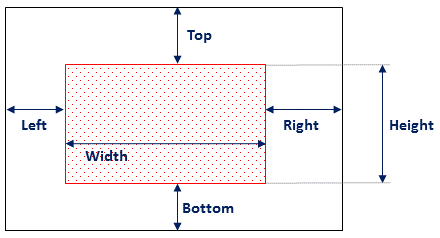
```
From `docs.en-us/articles/project-name/subfolder/article.md`:
```md

```
Samples:
* [PKI SDK / Get started / Adding the nuget package](https://docs.lacunasoftware.com/en-us/articles/pki-sdk/get-started/nuget)
* [Web PKI / Browser support](https://docs.lacunasoftware.com/en-us/articles/web-pki/browser-support)
### Blockquotes, notes and warnings
Blockquotes:
```md
As Jeffrey Lebowski once said:
> Far out.
```
As Jeffrey Lebowski once said:
> Far out.
Notes:
```md
:::note
This is an important notice
:::
```
> **Note**
>
> This is an important notice
Warnings:
```md
:::warning
Watch out!
:::
```
> **Warning**
>
> Watch out!
Also supported:
> **Tip**
>
> This is a tip
> **Info**
>
> This is important
> **Caution**
>
> Proceed with caution
### Tables
```md
First Header | Second Header
--------------------------- | -------------
Content from cell 1 | Content from cell 2
Content in the first column | Content in the second column
```
First Header | Second Header
--------------------------- | -------------
Content from cell 1 | Content from cell 2
Content in the first column | Content in the second column
It's not really needed to align columns, this renders the exact same output:
```md
First Header | Second Header
------------ | -------------
Content from cell 1 | Content from cell 2
Content in the first column | Content in the second column
```
First Header | Second Header
------------ | -------------
Content from cell 1 | Content from cell 2
Content in the first column | Content in the second column
For more complex cases, for instance having the leftmost upper cell blank, use this slightly more complex syntax:
```md
| | Second Header |
| --- | ------------- |
| Content from cell 1 | Content from cell 2 |
| Content in the first column | Content in the second column |
```
| | Second Header |
| --- | ------------- |
| Content from cell 1 | Content from cell 2 |
| Content in the first column | Content in the second column |
> GitHub markdown specification (which DocFX extends) mandates at least three hyphens (`---`) in each column of the header row (like shown above on the first column).
The header row is always rendered in bold. If you also need the first column in bold, do this:
```md
| | Ease of use | Awesomeness |
| ------------ | ------------- | ------------ |
| **Web PKI** | Very easy | So good |
| **Rest PKI** | Super easy | Much awesome |
| **PKI SDK** | Easy peasy | Wow |
```
| | Ease of use | Awesomeness |
| ------------ | ------------- | ------------ |
| **Web PKI** | Very easy | So good |
| **Rest PKI** | Super easy | Much awesome |
| **PKI SDK** | Easy peasy | Wow |
Text in cells is normally left-aligned. For other alignments:
```md
| Left-aligned | Center-aligned | Right-aligned |
| :--- | :---: | ---: |
| git status | git status | git status |
| git diff | git diff | git diff |
```
| Left-aligned | Center-aligned | Right-aligned |
| :--- | :---: | ---: |
| git status | git status | git status |
| git diff | git diff | git diff |
See also:
* [Organizing information with tables - GitHub Help](https://help.github.com/articles/organizing-information-with-tables/)
* Examples
* Table with leftmost upper cell blank: [Web PKI / Introduction](https://docs.lacunasoftware.com/en-us/articles/web-pki)
* Table with centered text: [Web PKI / Browser support](https://docs.lacunasoftware.com/en-us/articles/web-pki/browser-support)