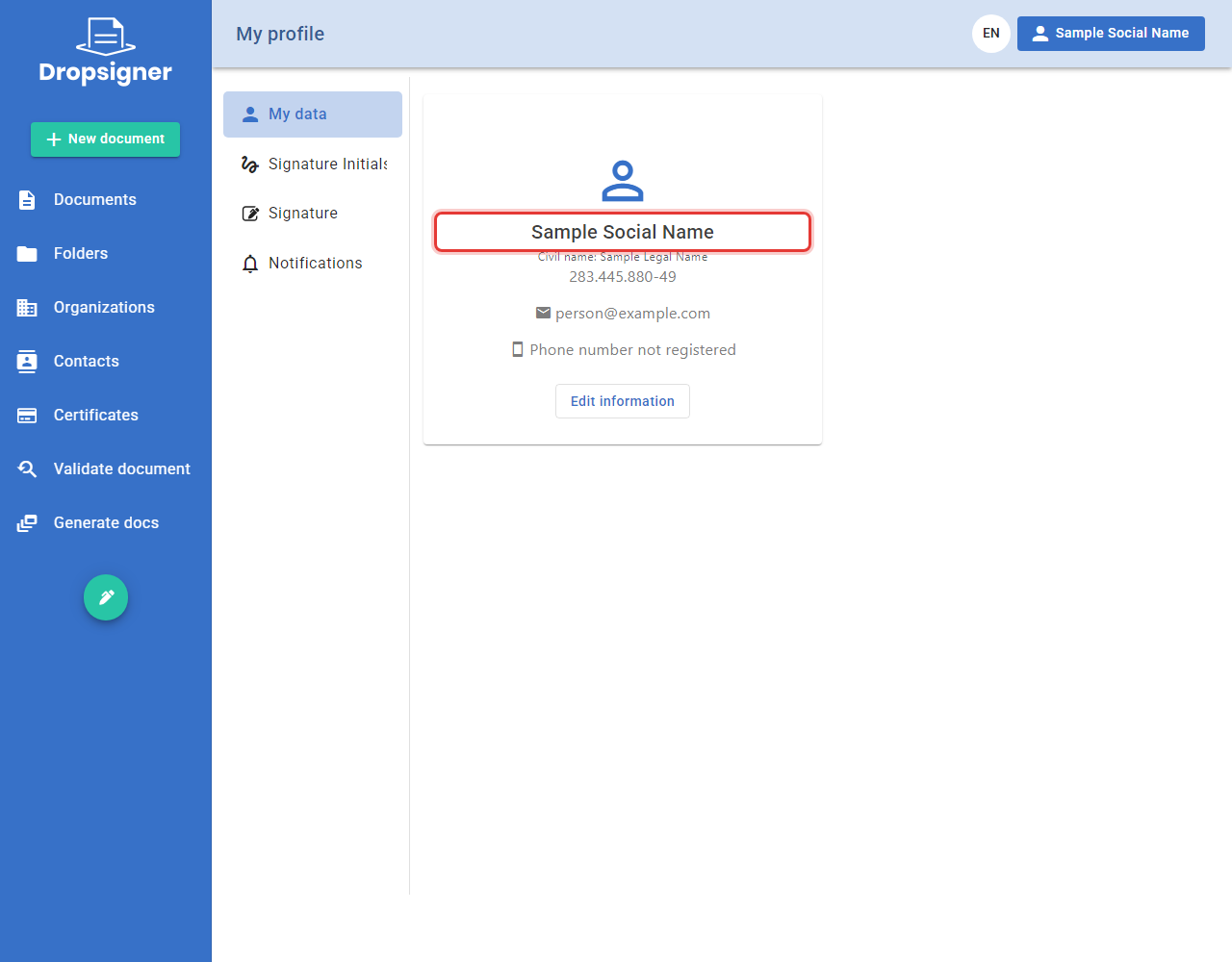
A user's social name
From version 3.3.0, Signer can show a person's social name instead of the legal name. Only the system administrator registers the social name, from the Admin area. To see where the social name appears, see Social name.
The social name only appears when the Enabled setting of the SocialName section is on. It is off by default. If
you use Signer in the cloud (SaaS), contact Lacuna support.
Registering or changing the social name
-
In the Admin area, click Users and use the Search field to find the person.
-
Click the person's name to open the details and click Edit.
-
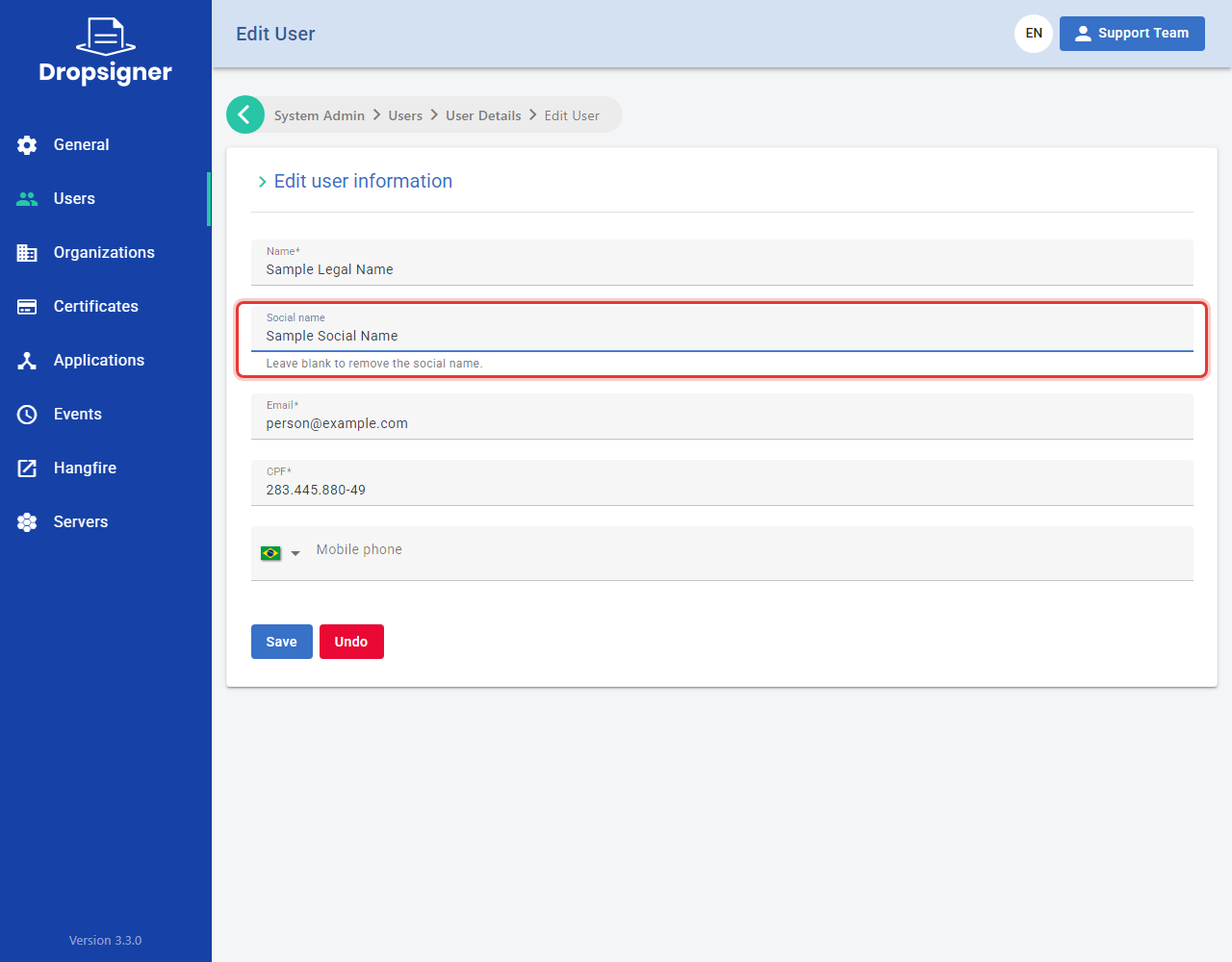
Fill in the Social name field and click Save.
-
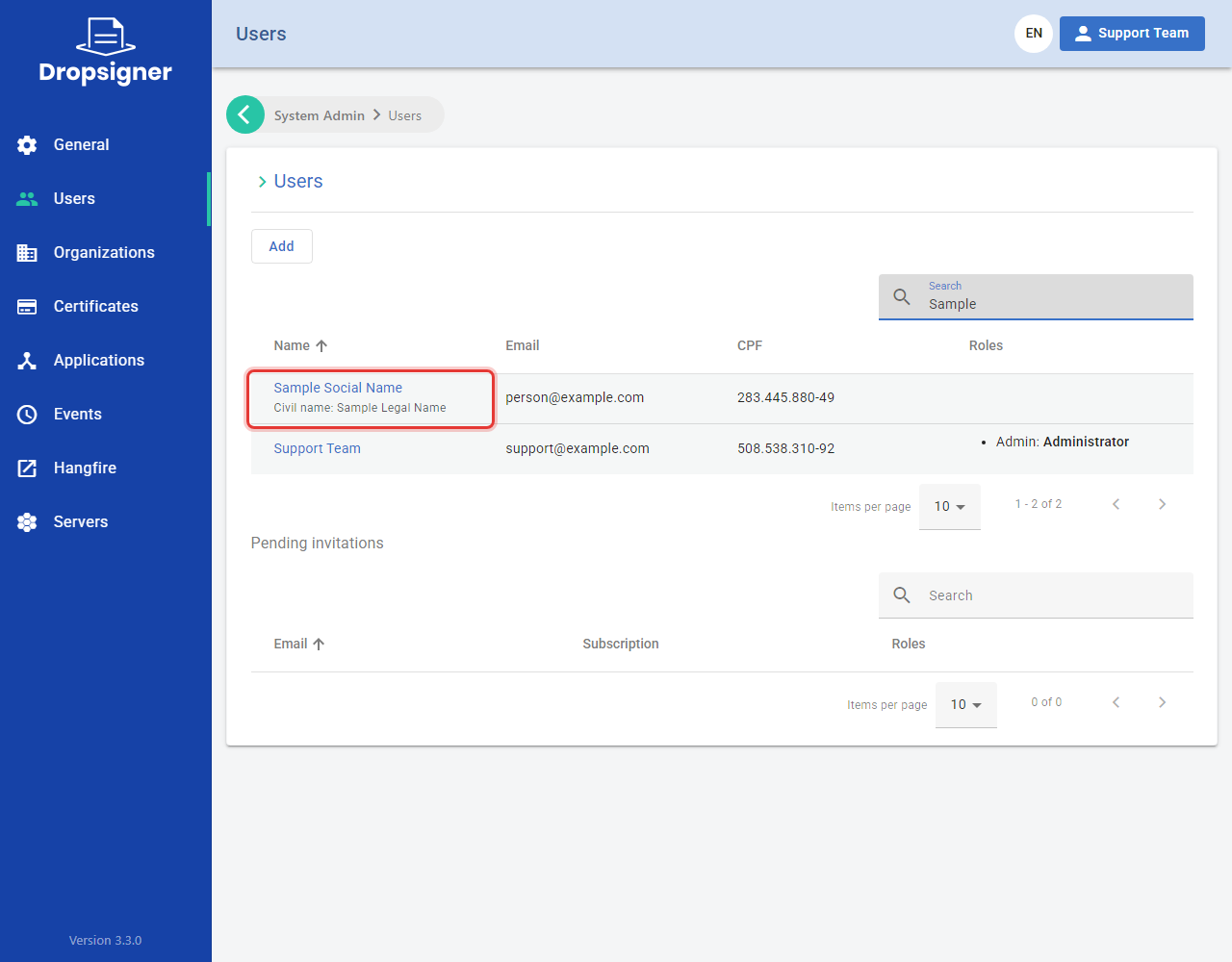
In the Users list, the person appears with the social name and, right below it, the legal name.
Removing the social name
On the user edit screen, clear the Social name field and click Save. Signer shows the legal name again.
Rules
-
The legal name doesn't change. The Name field keeps the person's legal name.
-
If the social name equals the legal name, Signer stores no social name.
-
Each change is recorded in the user's events, with the old and the new value.
-
The person doesn't edit their own social name. In My profile › My data, they see the social name and, below it, the legal name.