Notification providers
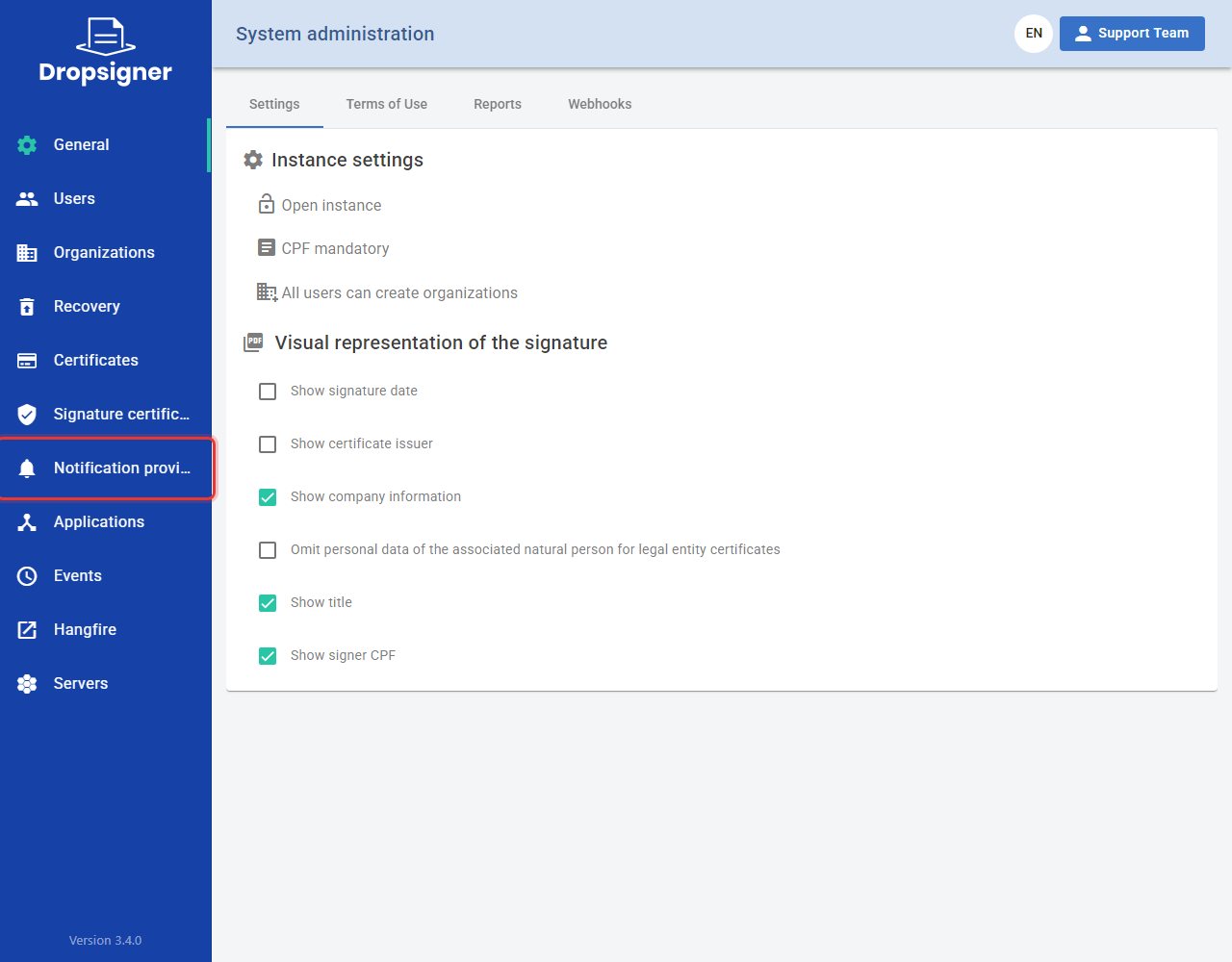
From version 3.4.0, e-mail and SMS providers are registered, tested and ordered in the Admin area. Providers are tried in the list's order: when one fails, the next one is used. In the menu, click Notification providers.
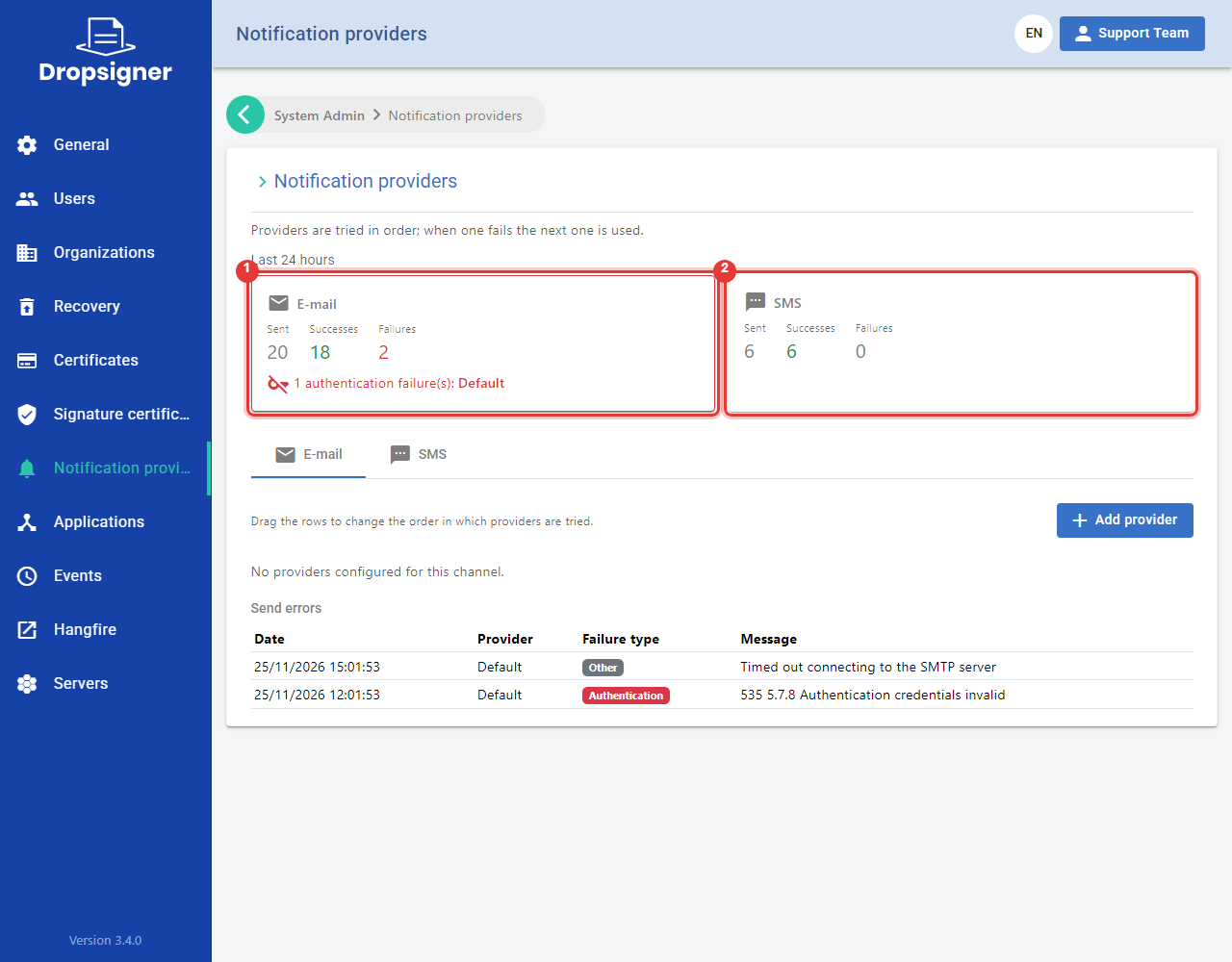
Last 24 hours summary
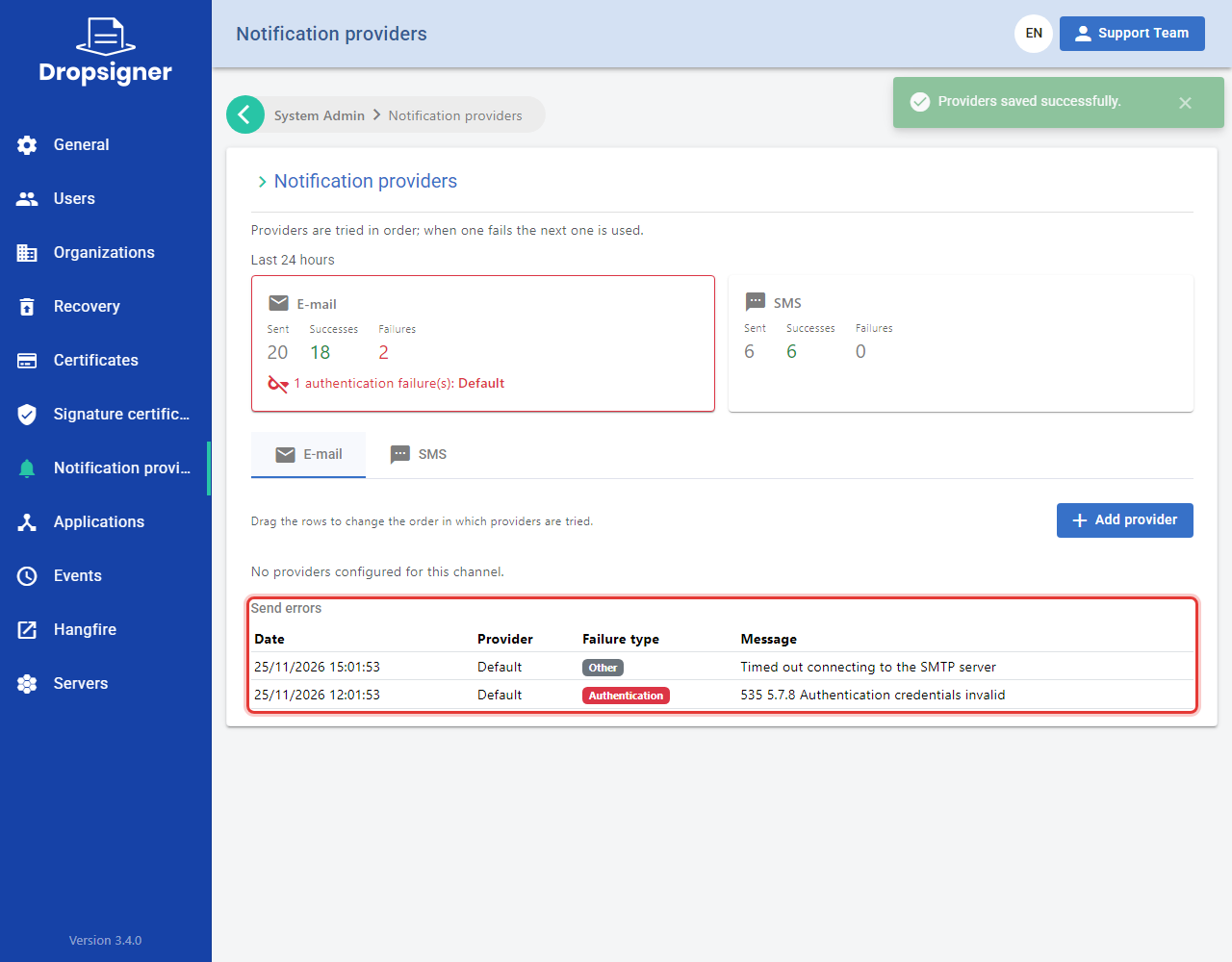
The E-mail (1) and SMS (2) boxes show how many messages were sent, succeeded and failed in the last 24 hours. Authentication failures are highlighted, with the provider's name.
The provider list
Pick the channel's tab, E-mail or SMS. The table shows each provider with its Origin and Performance (24h):
- Screen: registered on this screen;
- AppSettings: comes from the instance configuration;
- AppSettings (overridden): comes from the instance configuration, with changes made on this screen.
Drag the rows to change the order in which providers are tried. Each row's menu has Edit, Test, Restore instance configuration (discards the changes made on screen) and Delete.
Adding a provider
-
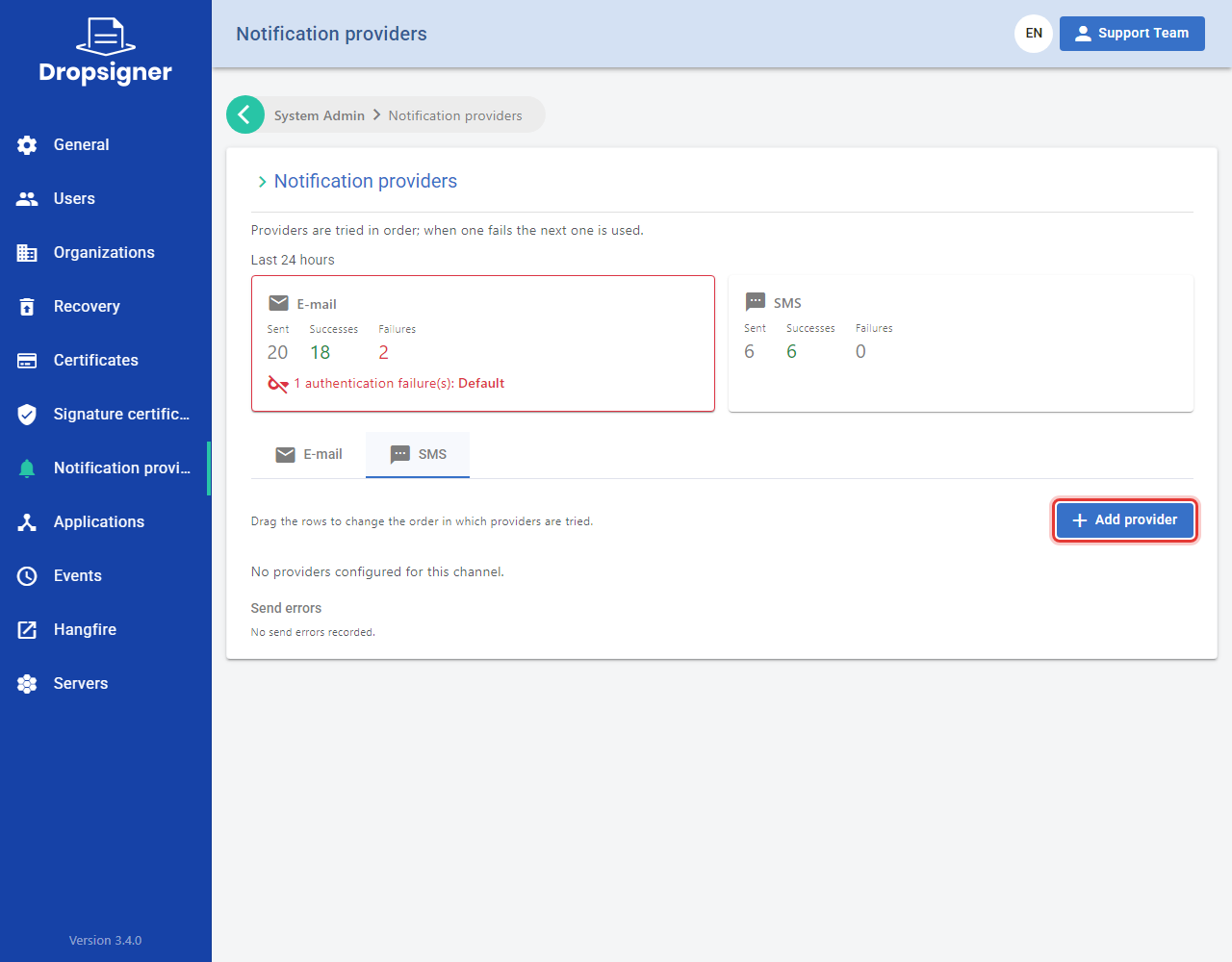
On the channel's tab, click Add provider.
-
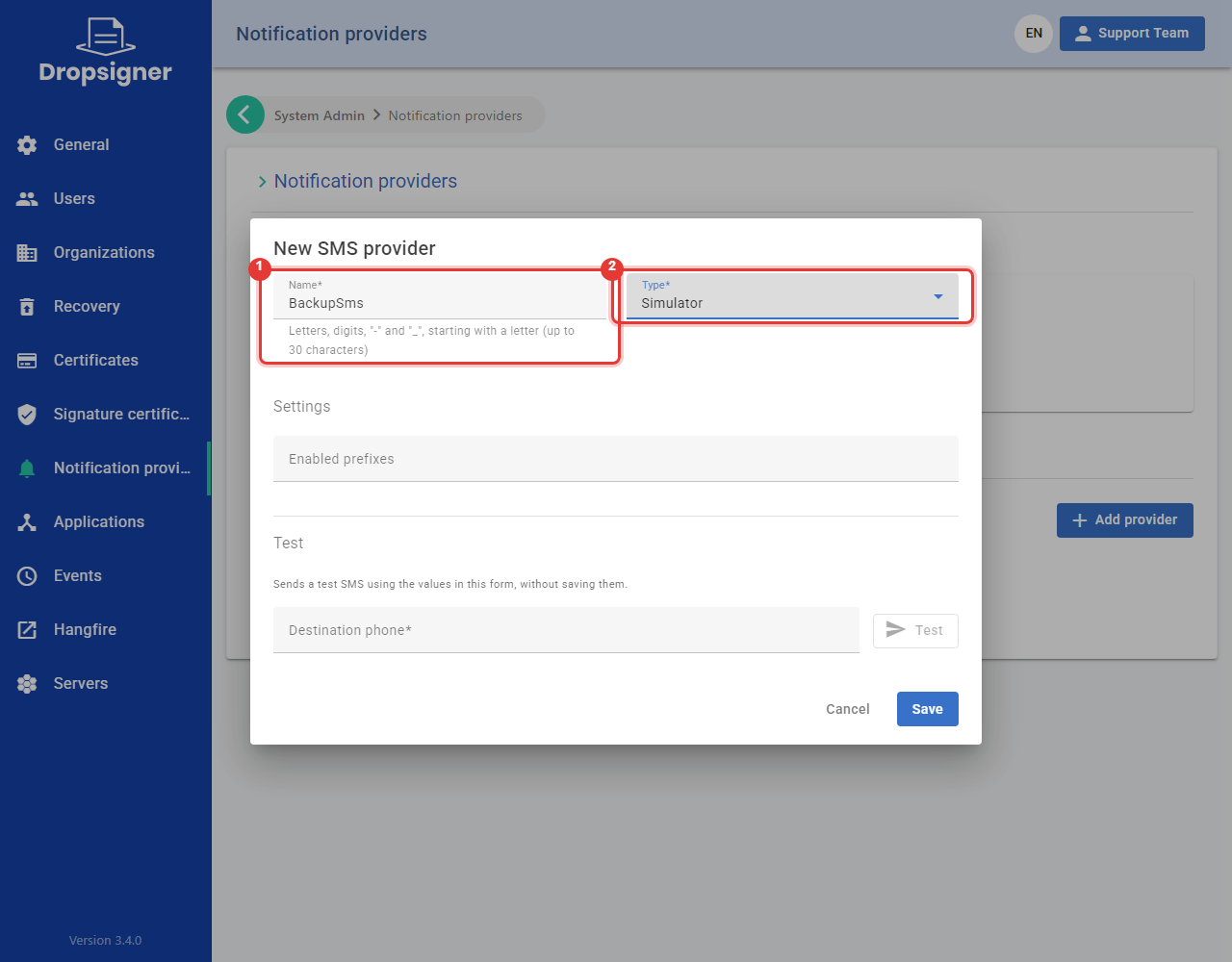
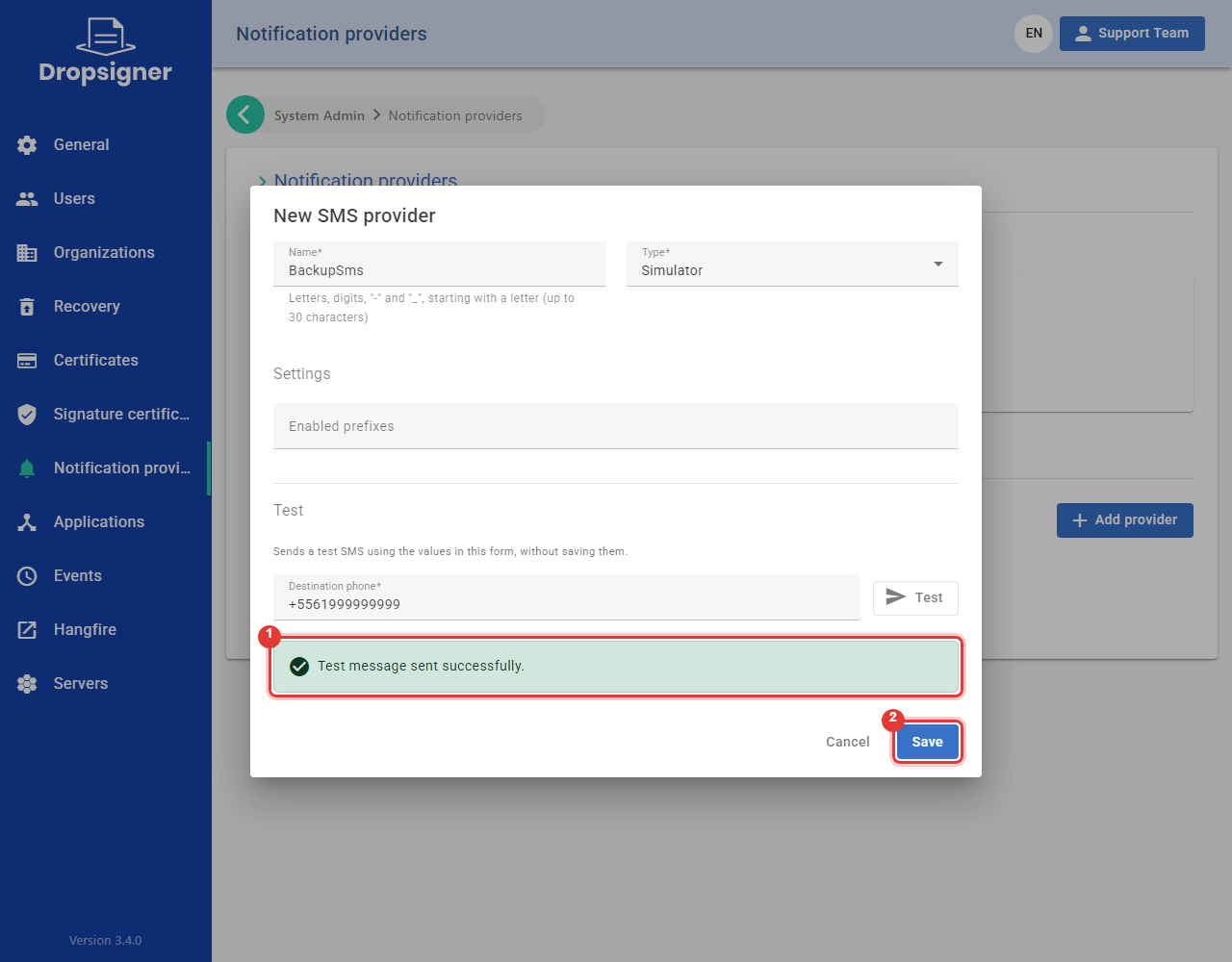
Fill in the Name (1), with letters, digits, "-" and "_", starting with a letter (up to 30 characters), choose the Type (2) and fill in the Settings of the chosen type. For passwords and keys already saved, leave the field empty to keep the value.
-
In Test, enter the destination e-mail or phone and click Test. The test message uses the form's values without saving them (1). Click Save (2).
Send errors
Below the list, Send errors shows each failure with the date, provider, failure type (Authentication or Other) and message. Click Load more to see older ones.
Providers configured in appsettings keep working and show in the list with the AppSettings origin. With
NotificationProviders:EnableUiConfiguration off, the screen only shows the configuration and does not allow
changing it. NotificationProviders:ManualUrl shows the Configuration manual link at the top of the screen.