Signer Payments
This page describes the options for collecting payment of the invoices generated by the Billing System.
Billing System
Signer has a flexible Billing System that lets the instance administrator choose which services are charged: documents, signatures, approvals and so on. If you don't see the options described here in your instance, check that the billing module is enabled.
The Billing System generates monthly invoices: when the month ends, the invoice is closed and becomes available to the user or organization to view and pay.
The instance administrator chooses whether unpaid invoices block users and organizations.
The options for processing payments are described below.
Simplified operation
For instances with a small number of users and organizations, payments can be managed outside the system.
In this model, the instance administrator checks the closed invoices, notifies the responsible customer and processes the payment of each invoice.
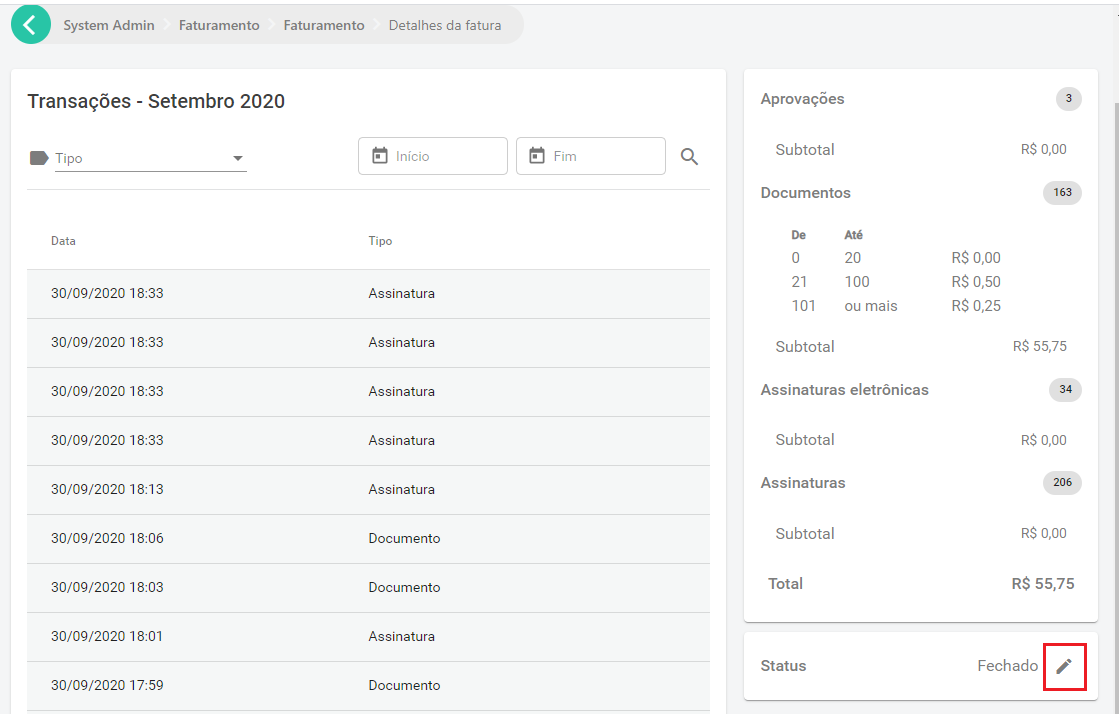
Once the payment is confirmed, the administrator can look up the invoice and change its status on the invoice details page:
Operation through integration
For instances with a large number of users and organizations, we recommend automating payment management.
The first step is to configure the instance's billing webhook, in Administration > Billing > Integration:

Once the webhook is configured, the given address receives a POST request each time an invoice is closed.
Here is an example of that request:
{
	"type": "InvoiceClosed",
	"data":
	{
		"id": 126,
		"month": 9,
		"year": 2020,
		"value": 5,
		"invoiceTotals": [
			{
				"transactionType": "Document",
				"price":
				{
					"transactionType": "Document",
					"pricingType": "Simple",
					"price": 0.5,
					"priceRanges": null
				},
				"total": 10,
				"value": 5
			},
			{
				"transactionType": "ElectronicSignature",
				"price":
				{
					"transactionType": "ElectronicSignature",
					"pricingType": "NoCharge",
					"price": null,
					"priceRanges": null
				},
				"total": 1,
				"value": 0
			},
			{
				"transactionType": "Signature",
				"price":
				{
					"transactionType": "Signature",
					"pricingType": "Range",
					"price": null,
					"priceRanges": [
						{
							"limit": 10,
							"price": 0
						},
						{
							"limit": 20,
							"price": 0.5
						},
						{
							"limit": null,
							"price": 0.25
						}
					]
				},
				"total": 8,
				"value": 0
			}
		],
		"organization":
		{
			"id": "6a49d03c-5f3f-428c-8221-8474366f98d0",
			"name": null,
			"identifier": null,
			"owner":
			{
				"id": "12c1d41a-77b2-404e-a155-84cc7d0f93e8",
				"name": null
			}
		},
		"billingInformation":
		{
			"type": "Individual",
			"individual":
			{
				"name": "Danilo Igor das Neves",
				"identifier": "57972418624"
			},
			"company": null,
			"contactName": "",
			"email": "daniloneves@mailinator.com",
			"phone": "+55 (84) 3619-9479",
			"streetAddress": "Rua Principal, s/n",
			"addressNumber": "696",
			"additionalAddressInfo": "Apto 110",
			"neighborhood": "Bom Descanso",
			"address": "",
			"address2": "",
			"zipCode": "59430972",
			"city": "Lagoa de Velhos",
			"state": "RN"
		}
	}
}
For the full reference of the request, see the Webhooks.InvoiceClosedModel schema in Swagger.
For code samples, see the links below:
The webhook can also be used in the simplified operation.
The system that receives the webhook should process the invoice event and create the corresponding charge, notifying the email address given in the billing information.
When it detects that the invoice was paid, it should send a request to Signer to report the payment, as shown below:
PUT /api/invoices/{id}/payment

{
	"isPaid": true
}
For code samples, see the links below:
This request requires an API key with billing administration privileges in the system.
Creating a billing administration API key
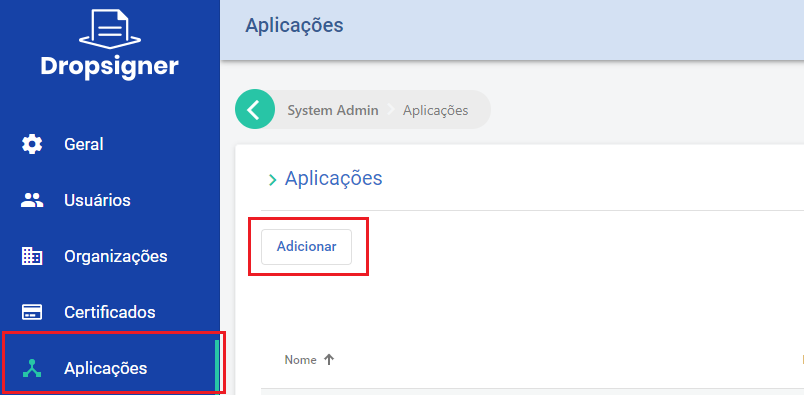
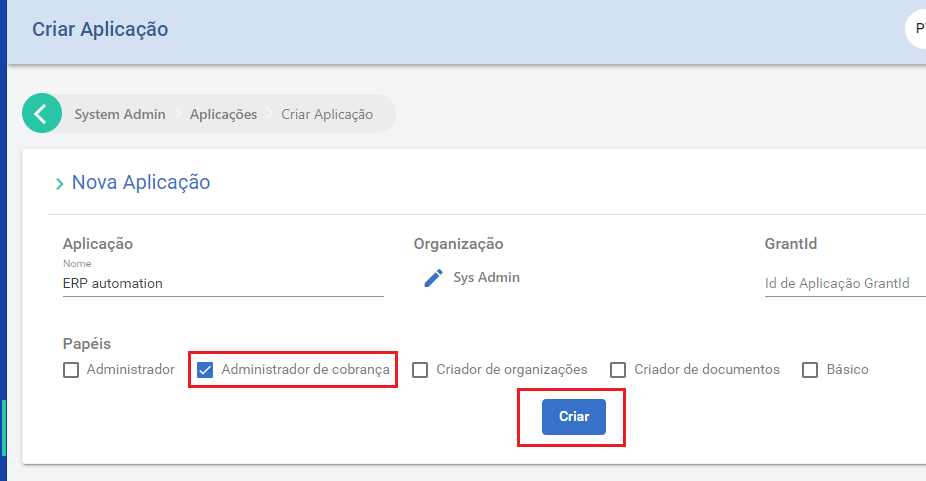
To create one, create an application and select the Sys Admin organization:
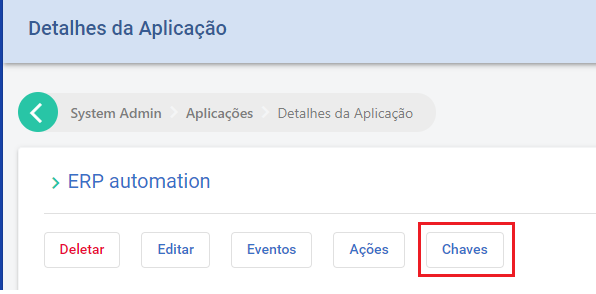
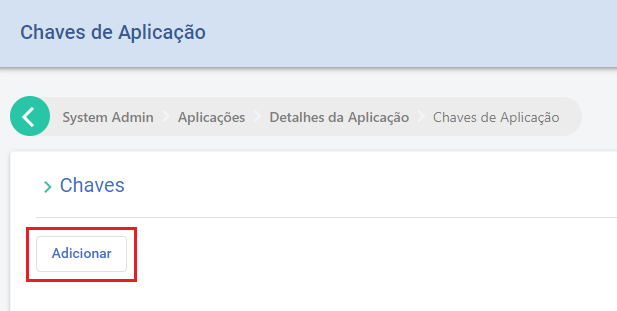
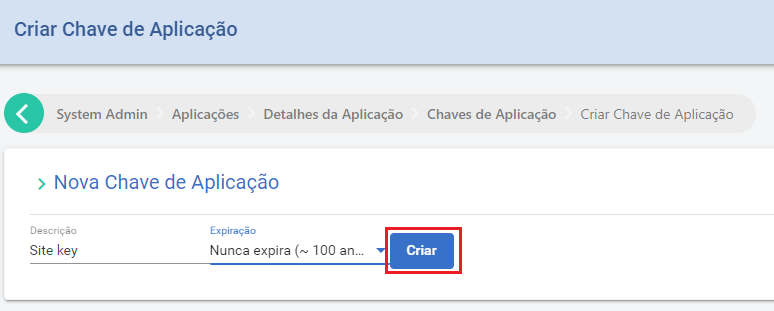
Then create the key with the "Keys" option:
Operation through the iugu payment gateway
You can integrate Signer directly with the iugu payment gateway, so that users and organizations pay their own invoices by credit card, boleto bancário (Brazilian bank payment slip) or Pix. See the iugu payment gateway page.
To issue an NFS-e for paid invoices, see Electronic Service Invoice (NFS-e).