Consumption Monitoring
Introduction
To support monitoring, Signer has a set of APIs that expose information and reports about the operations users perform.
To call these APIs you need a monitoring API key.
Creating a monitoring API key
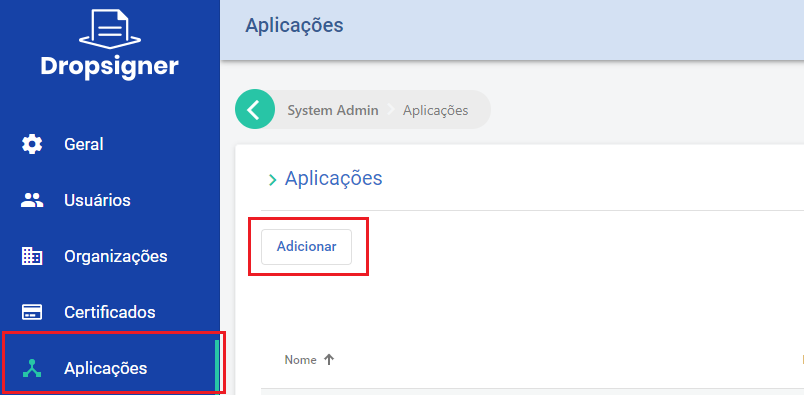
To create one, create an application, selecting the Sys Admin organization and the Monitor role:
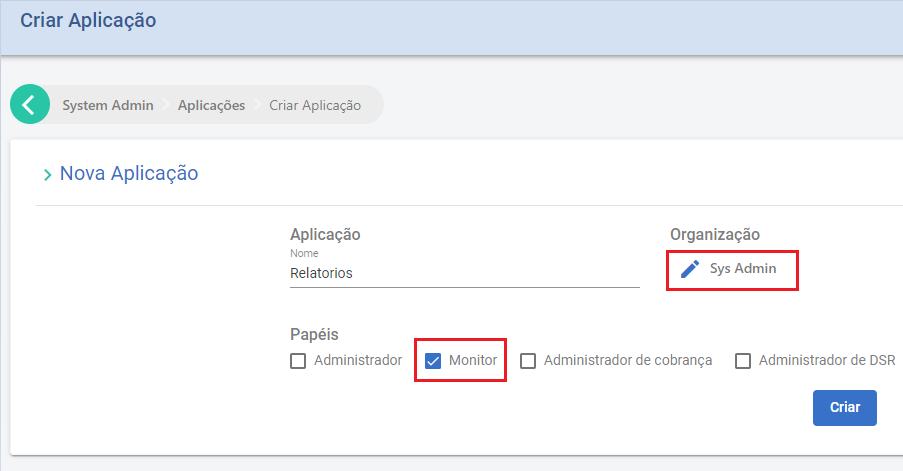
The Monitor role only grants access to the APIs that are relevant to monitoring.
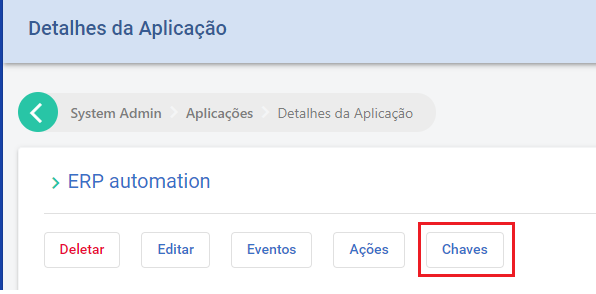
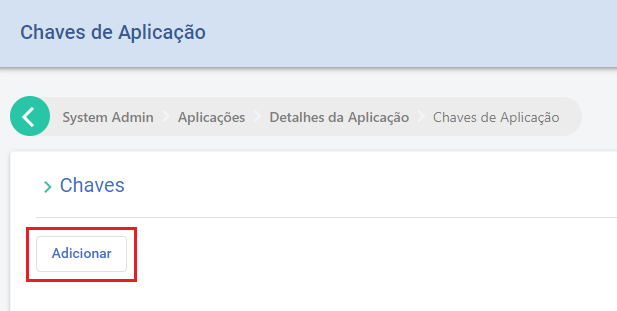
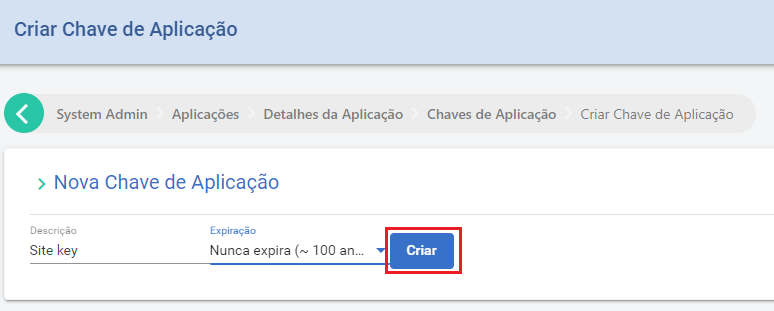
Then create the key with the "Keys" button:
Monitoring options
Choose one of the use cases below:
Generate a document report
To get an Excel report of all documents created in a period, call POST /api/reports/documents/date:
POST /api/reports/documents/date
{
    "startDateUtc": "2023-01-01",
    "endDateUtc": "2023-01-31"
}
-
startDateUtc -
string: date and time (optional) when the period starts. -
endDateUtc -
string: date and time (optional) when the period ends.
The response carries a download path for the generated report (append the returned value to the site's base URL):
{
    "location": "/api/reports/f7044565-7cd4-4628-bb17-76eedbf9fe31?access_ticket=..."
}
Get document totals
To get the number of documents and envelopes created in a period, call POST /api/documents/date:
POST /api/documents/date
{
    "startDateUtc": "2023-01-01",
    "endDateUtc": "2023-01-31"
}
-
startDateUtc -
string: date and time (optional) when the period starts. -
endDateUtc -
string: date and time (optional) when the period ends.
The response carries the totals of documents and envelopes created:
{
    "totalDocuments": 0,
    "totalEnvelopes": 0
}