Integration Guide - Scanner Service
The Lacuna Scanner Service lets you add a scanning page to your existing web application quickly and easily, because the scanning itself happens on a page of the service, not of your application. Your application doesn't have to deal with the complexity of communicating with scanners or of filling in the mandatory metadata required by Decree No. 10,278/2020 (in Portuguese).
Example
Suppose your application has a form that accepts file uploads, and you want to add a button for scanning:
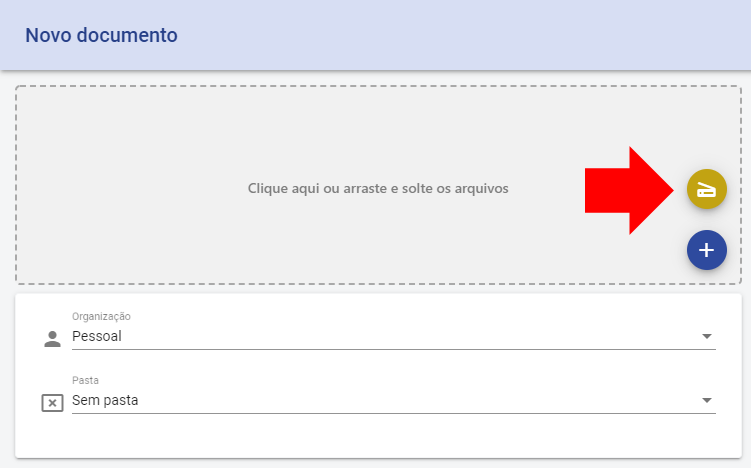
When the user clicks the button, they are redirected to the scanning page:
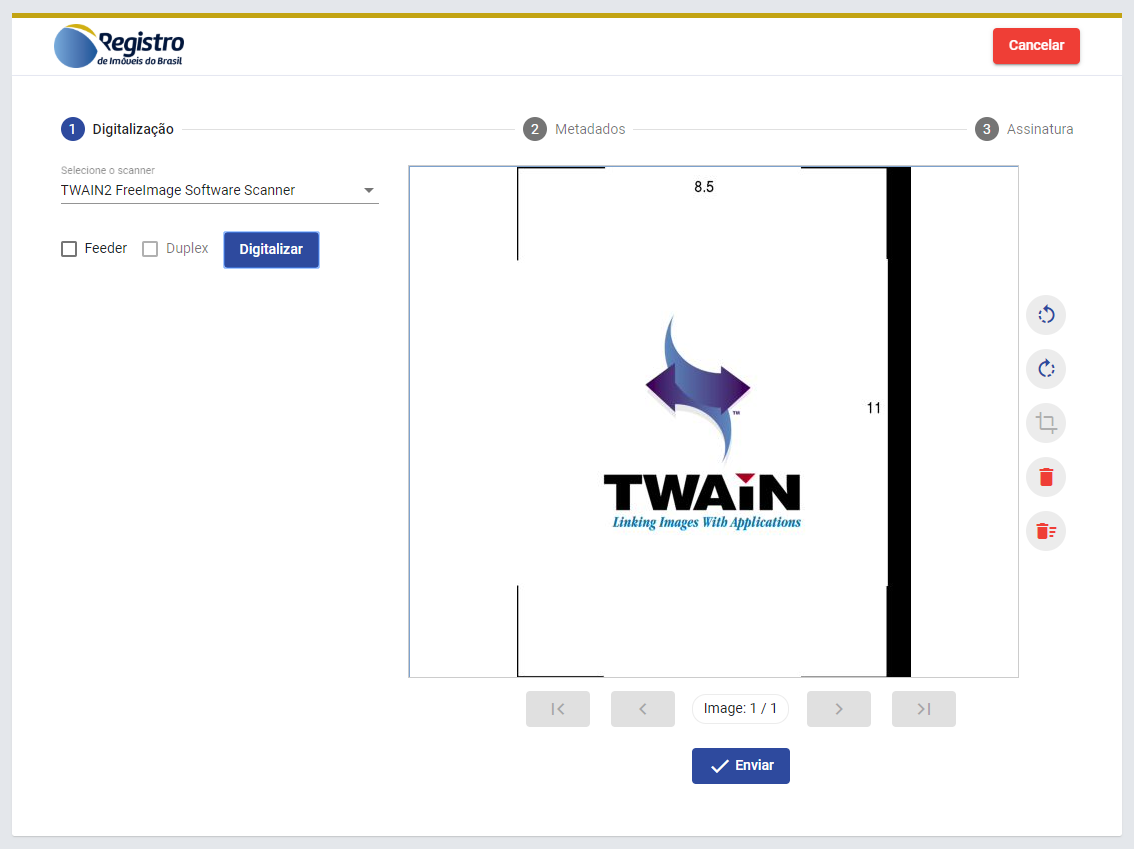
The scanning page can be customized with your application's logo and colors to give the user a seamless experience (the image above is an example of customization).
When the user finishes scanning, they are redirected back to your application:
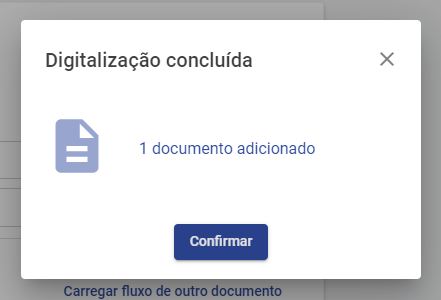
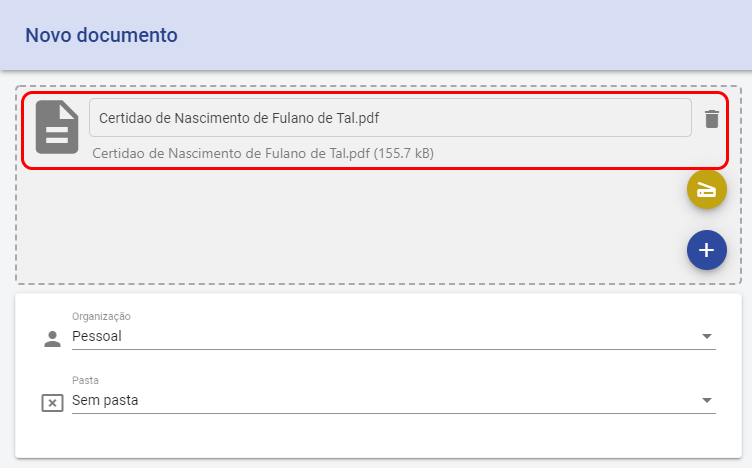
Your application then calls the service API to get the scanned document:
Overview
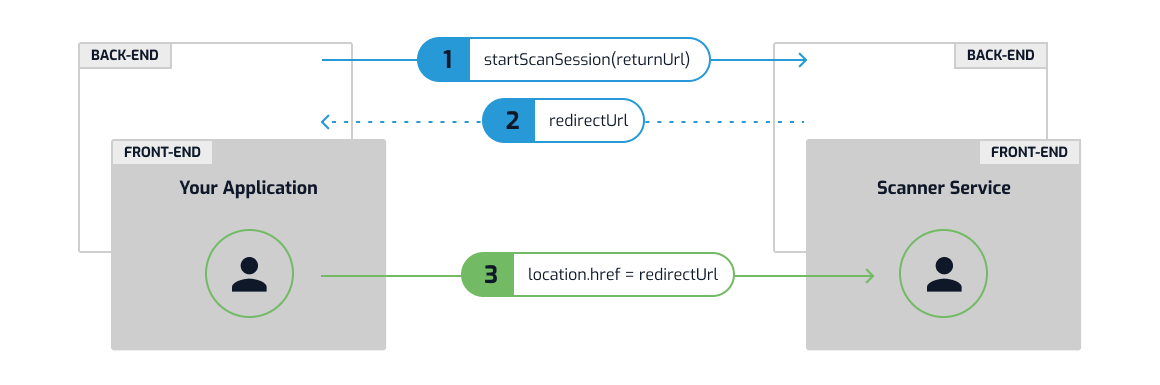
The procedure starts with your application creating a scan session, passing the returnUrl – the URL the user must be taken back to at the end of the process. Your application receives the redirectUrl – the URL the user must be taken to in order to start scanning:
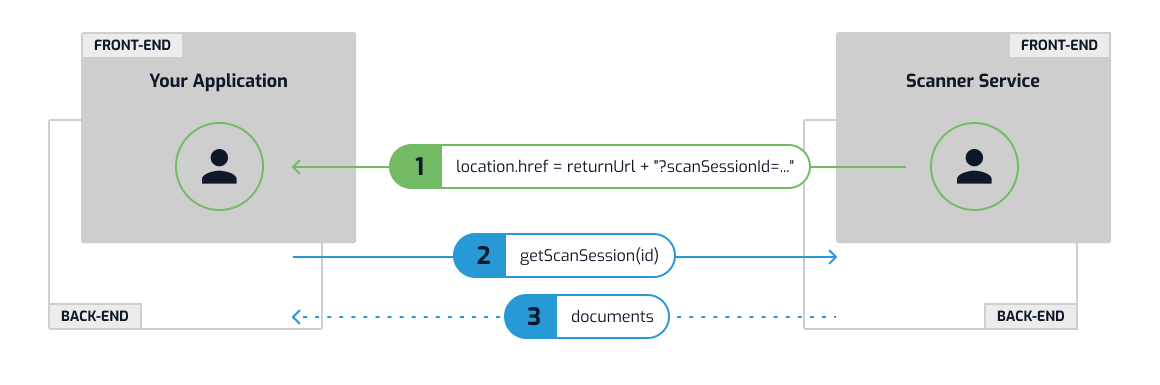
At the end of the scanning process, the user is taken back to your application (at the returnUrl), with an argument named scanSessionId added to the URL. With that argument, your application calls the service API to get the scanned document(s):
Communication parameters
You will need the following parameters:
- Endpoint: address of the Scanner Service, e.g.
https://scn.lacunasoftware.com/ - API Key: key for accessing the API
Ask our developer support for your parameters.
Programming languages
Choose a programming language for specific instructions:
- .NET
- PHP
- Other languages: REST API Integration