Configure storage - Rest PKI
To keep the database lean, Rest PKI stores temporary files outside the database. The files can be stored on different services:
- Local (file system)
- Azure Storage
- Amazon S3
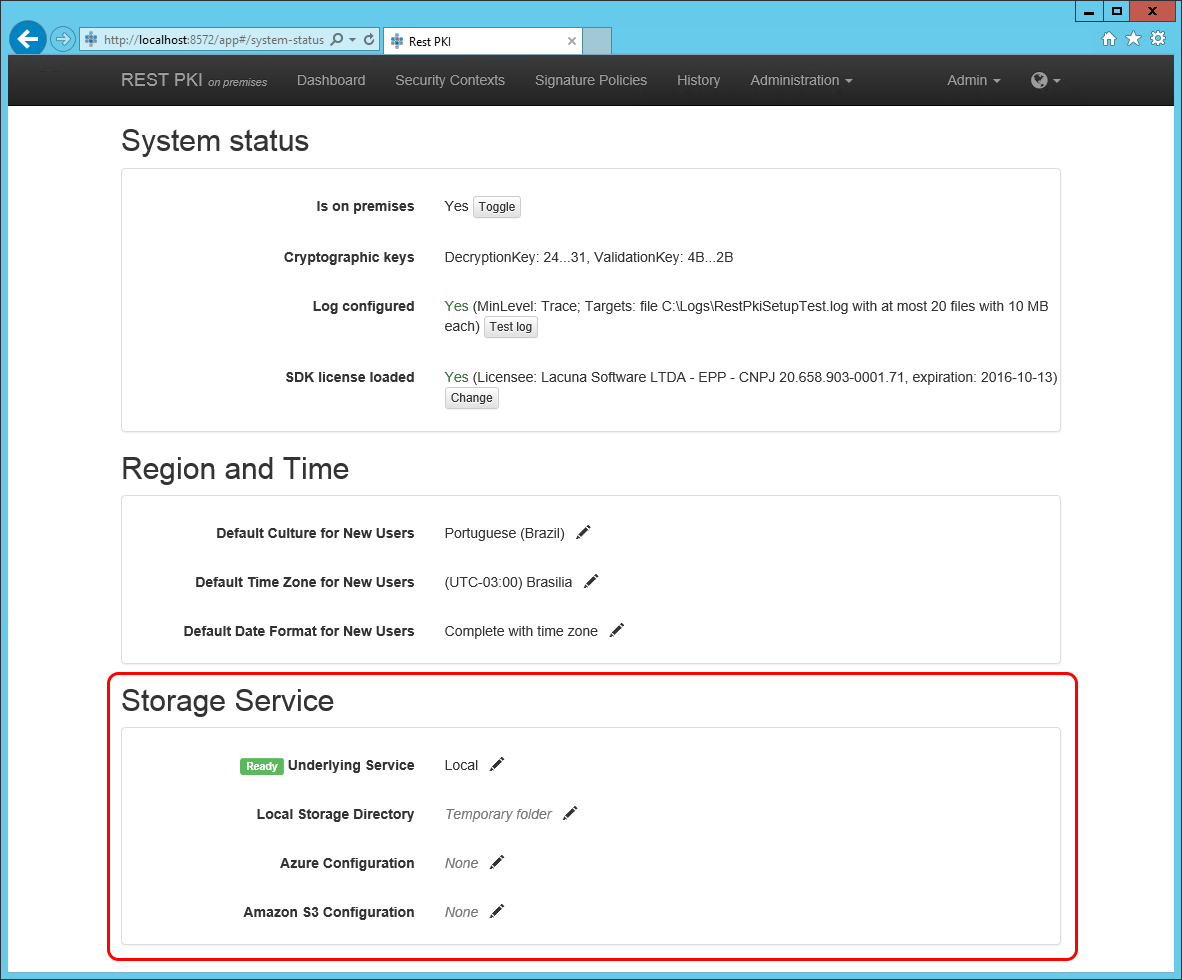
By default, on premises instances are configured to store files in the web server's temporary folder. However, you may need to change this setting, especially if you want to run Rest PKI on multiple servers. In that case, all instances must share the same database and the same storage.
Storage is configured on the system's web interface:
- Sign in with an administrator user
- Go to Administration > System Status
Then configure the Storage Service section as described in one of the sections below.
Local
To store temporary files on the local file system, choose Local on the Underlying Service setting.
Then fill the Local Storage Directory setting with the path of the folder where Rest PKI should store the files. For instance:
C:\AppData\RestPki
On a multi-server installation, this folder must be shared among the web servers
Azure Storage
To store temporary files in an Azure Storage container, choose Azure Blob Storage on the Underlying Service setting.
Then fill the Azure Configuration setting as follows:
<account name>;<account key>;<container name>
For instance:
patorumstorage;MYSECRETKEY;restpkifiles
Amazon S3
To store temporary files in an Amazon S3 bucket, choose Amazon S3 on the Underlying Service setting.
Then fill the Amazon S3 Configuration setting as follows:
<access key>;<secret key>;<bucket name>
For instance:
MYACCESSKEY;MYSECRETKEY;restpkifiles